There’s just so many options, countless models and LED-this or OLED-that, and it can really make your head spin. Keeping track of what all the numbers and letters mean for each model is helpful, but not what you want to spend your spare time learning. What you really need to know is 1) the TV’s lighting system which is tied into 2) image quality. Here’s a basic breakdown of the most common TV lighting systems:
LED: Light Emitting Diode, the crucial element of the TV that is setup in a “backlight system” in specific patterns to provide light for the screen
QLED: Quantum Dot LED, originally designed by Samsung, is essentially a reinforced LED that is energy efficient, has a wide color spectrum, can achieve higher brightness levels than regular LED and is more durable.
NeoQLED: Same quantum technology except the LEDs are 40 times smaller than normal LEDs—which means more LEDs can fit in a panel (screen) for better, brighter and more colorful imaging.
OLED: Organic LEDs are derived from an organic carbon-based substance. They emit their own light, much like bioluminescence, except the light does not come from a live organism so it is considered electroluminescence.
Most LED TVs do not have the capability to control each LED individually. Instead, they are setup with dimming zones that group LEDs together in different subsections that turn off and on according to the image on the screen. OLED TVs, on the other hand, can control each LED individually which creates 100% contrast levels and very crisp, accurate imagery. The downside is that the organic LEDs can degrade faster than synthetic LEDs, they aren’t quite as bright and if an image is left on the screen for extensive amounts of time, will leave an after image called “burn in”. Fortunately, TV manufacturers have added a function called pixel refresh that prevents a static image from remaining on the screen too long and will auto refresh the pixels.
While QLED TVs don’t have the same contrast levels as an OLED, they are cheaper to manufacture and have more options as far as sizing and models go. Samsung even has a TV called The Frame that has a special Art Mode that can be activated while the TV is not in use.
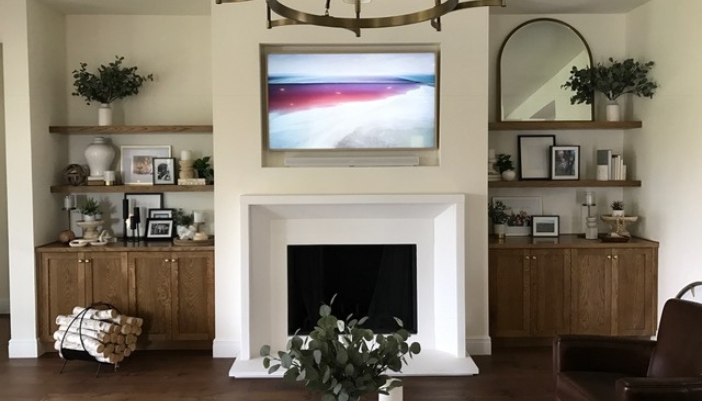
If you’re still not sure if you’d rather go with QLED or OLED, Samsung has just the right model for you that blends both the Quantum Dot and Organic LED technology: their S95F utilizes an OLED panel for the benefit of the 100% contrast levels, paired with Quantum Dots which enhance the coloring and help mitigate the risk of burn in.
Now that you’ve had time to decipher what TV is what, here’s a few things to also take into consideration when choosing your TV:
- Where will you be viewing your TV? Keep in mind if you will be viewing the TV in a room with a lot of ambient light it may be better to go with a QLED rather than an OLED. A lot of higher end models have an anti-glare coat on their screens to help reduce the glare. The QD-OLED has a special glare free screen that would also be a good option. However, if you’re wanting to put your TV outside, be aware that you’ll either 1) void your TVs warranty or 2) need to invest in an outdoor rated TV & dust cover.
- What is your ideal viewing configuration? Perhaps your living room and kitchen are adjoined and you’d like to watch the TV from the kitchen but still want a good view. An articulating arm mount would be perfect as it would allow the TV to swivel and extend from the wall for optimal viewing. Or, maybe you have a high fireplace mantle and don’t want to be craning your neck. A great solution to this is a motorized mount that can lower while viewing and retract when not in use.
- How many devices will be connected to your TV? Keeping track of multiple remotes for every single device can be a hassle and time consuming. This can easily be solved by getting a universal remote control that will centralize the control of your system.
A few more helpful terms:
- Motion rate/refresh rate: This refers to how fast an image appears on the screen. It is important for those who watch sports or play video games as these milliseconds can mean all the difference in their viewing experience.
- Nits: This is the measurement of a TVs brightness. Most high end TVs nowadays are 1,000-2,500 nits.
- Processor: Last but not least the TVs “processing power” or “AI processor” refers to its ability to relay content in a way that optimizes the imagery. If you’ve heard of “upscaling” it is essentially boosting the colors and details, based on its AI’s algorithm, to create a more vivid image with better resolution.
Congratulations! You’ve learned the basics of TVs, and now it’s time to schedule a visit to the Bond’s showroom. Or, if you’d rather we come to you, we’ll send out a trained expert who can make an assessment of your A/V needs, discuss different options and provide a proposal tailored for you. Either way, Bond’s is here to support you as your Local A/V Expert.